Light Studio. How do you give lighting designers full control over their lights without making the software hard to use?

From before ATTO: course project at Chalmers, 2022

Light Studio is lighting control software for clubs, theatres and concert halls. The course set the functions it had to have; the work was fitting all of them into one interface that still feels simple. It was designed for a desktop, as the one program a lighting designer works in for hours, for freelance lighting designers who are fluent in video and music software but held back by the unintuitive tools of their own trade.

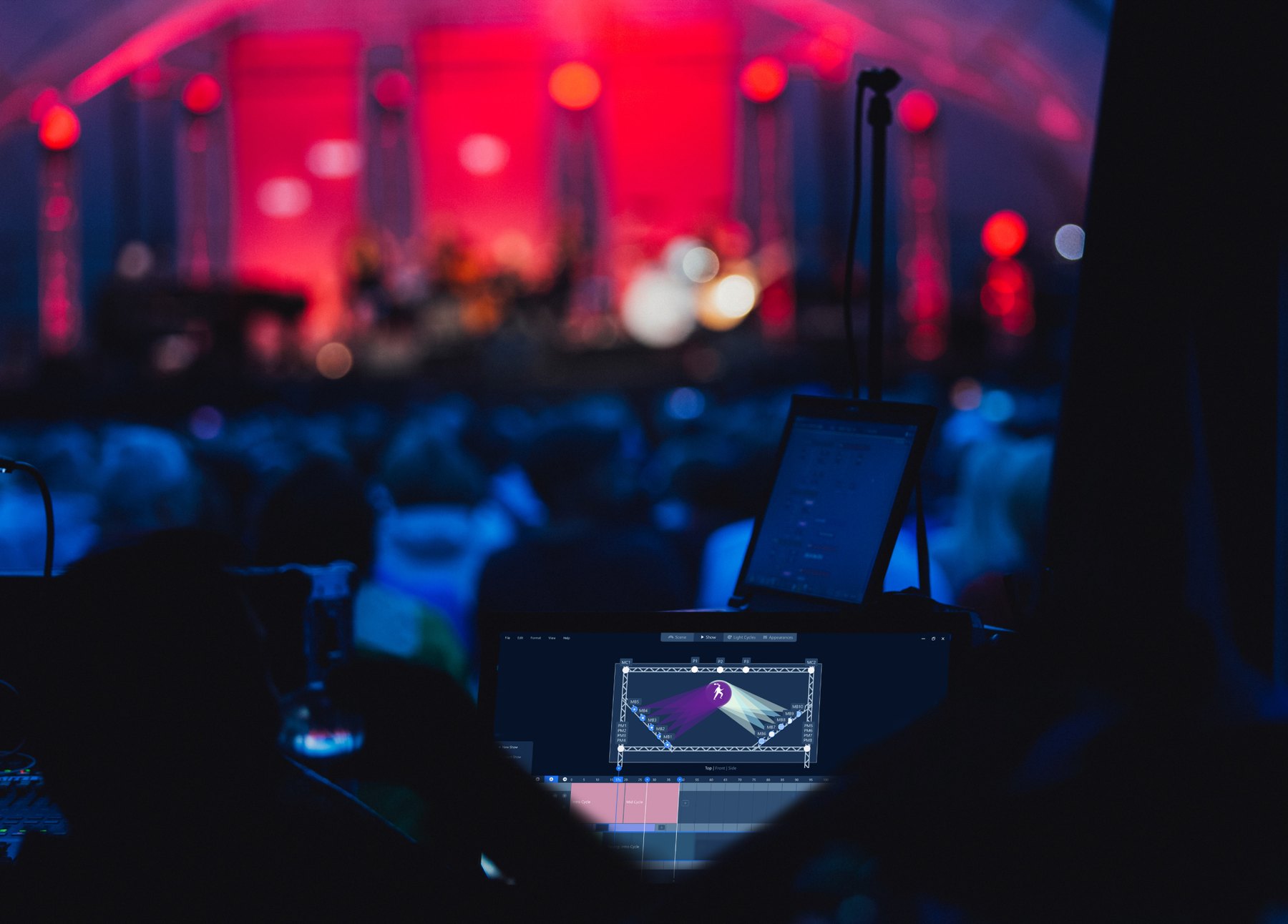
A concert hall in red and blue light, with Light Studio open on a laptop at the mixing desk.
Light Studio at the desk. A mock-up, not a real show.

Three decisions

Decision 1 of 3

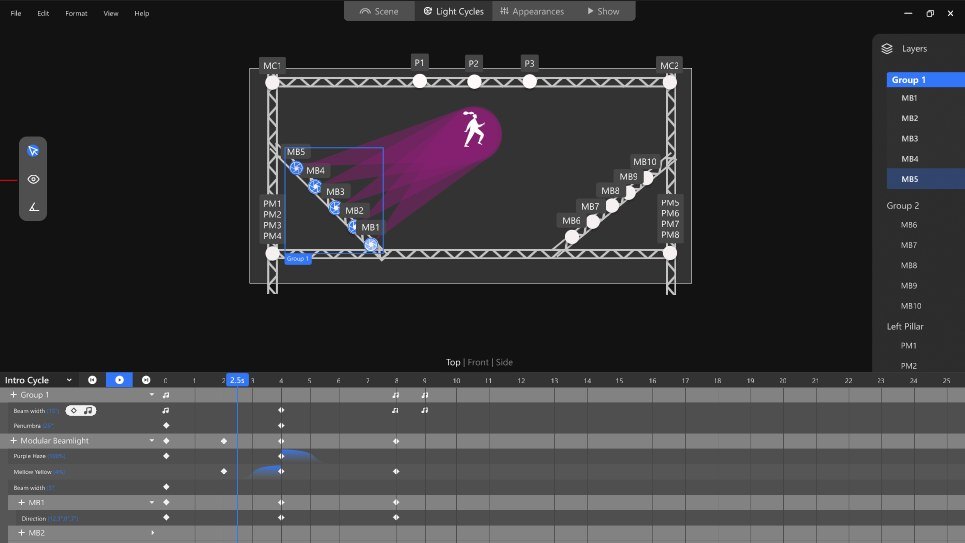
Light Studio: a stage with a truss of lights, a purple beam on a performer, and a keyframe timeline below.
Light cycles: stage above, timeline below

Borrow the tools they already know

The designers we had in mind edit video in Premiere Pro and make music in FL Studio, and struggle with their lighting software. So Light Studio works like those programs: a stage view above, a timeline of keyframes below, a tool palette and layers.

Rejected
The conventions of lighting desks: faders, channels and cue numbers.
Why
Skills they already have carry straight over, so their attention goes to the show, not the software.
Decision 2 of 3

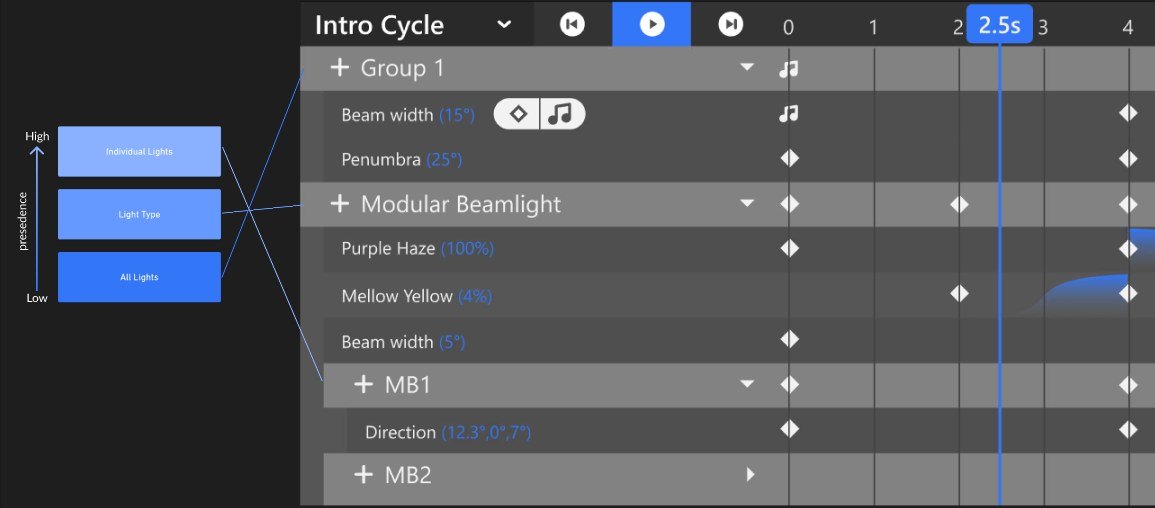
The timeline: rows for a group, a light type and a single light, with a scale from low to high precedence beside it.
Most specific wins: all lights, type, one light

Groups first, exceptions where needed

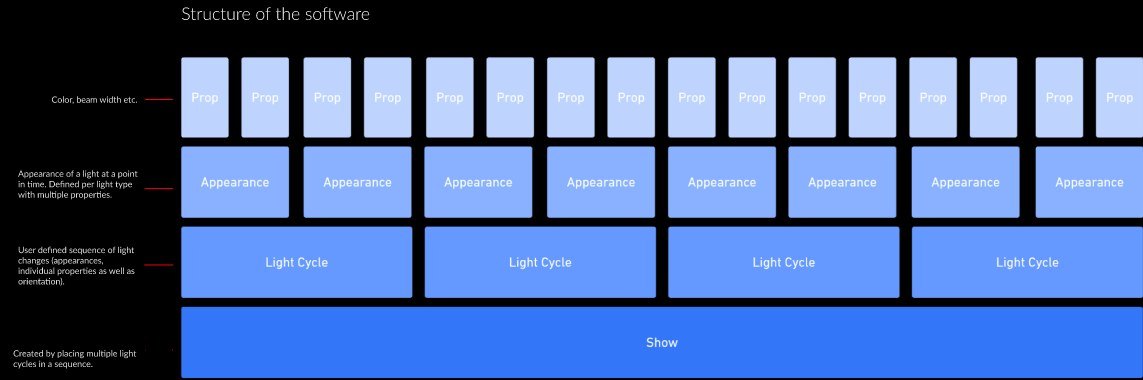
Everything is built from the same parts: properties make an appearance, appearances make a light cycle, cycles make a show. In the timeline you set all lights, then a type of light, then a single light, and the most specific setting wins.

Rejected
Setting every light on its own.
Why
A rig can have dozens of lights. You design the whole stage at once and break the pattern only where you mean to.
Diagram: properties stack into appearances, appearances into light cycles, cycles into a show.
The parts, from property to show

Decision 3 of 3

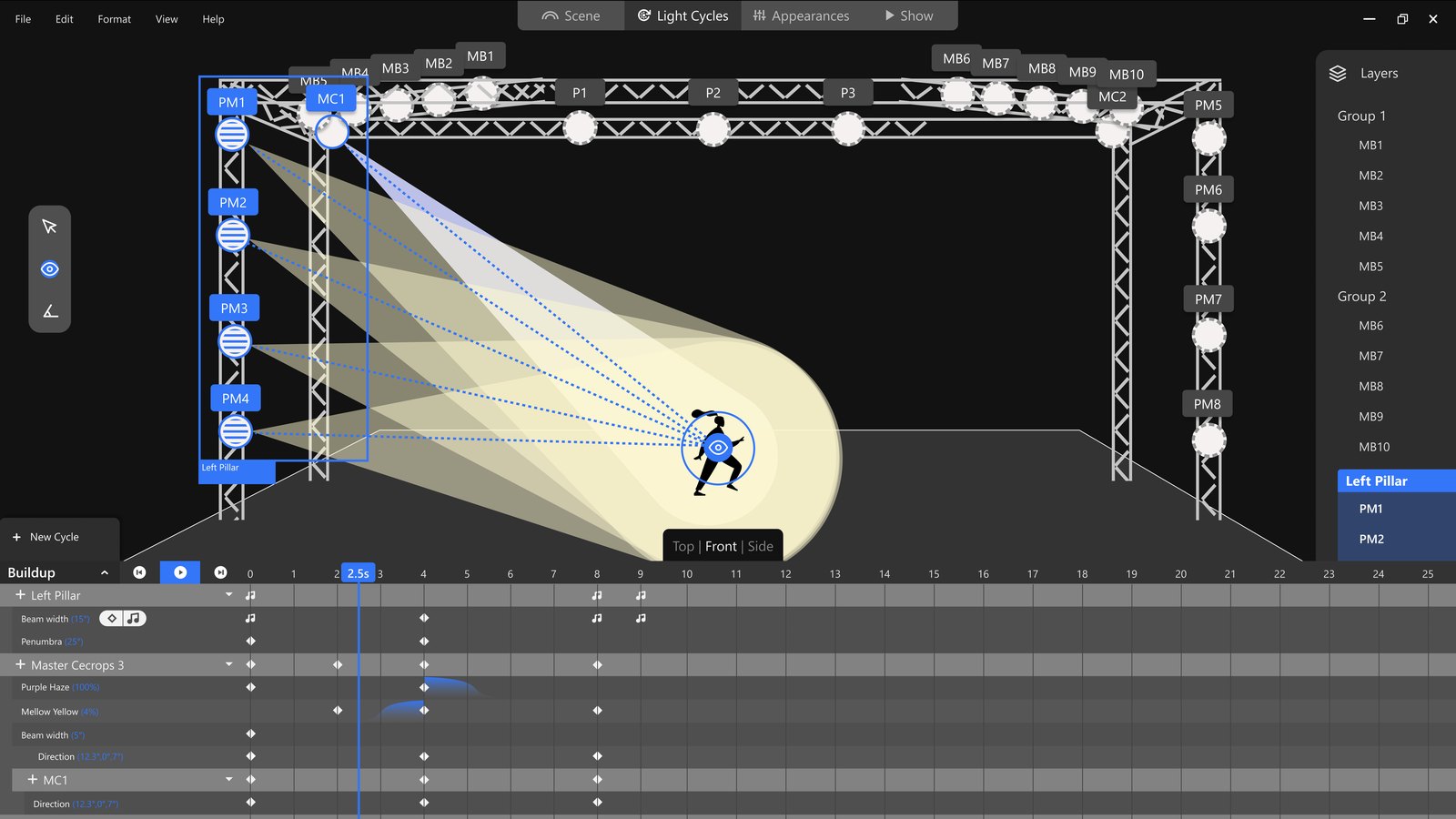
The stage seen from the front: a column of lights on the left, all turned towards a performer with the eye tool.
The eye tool: every selected light turns to where you point

Aim by pointing, time it to the music

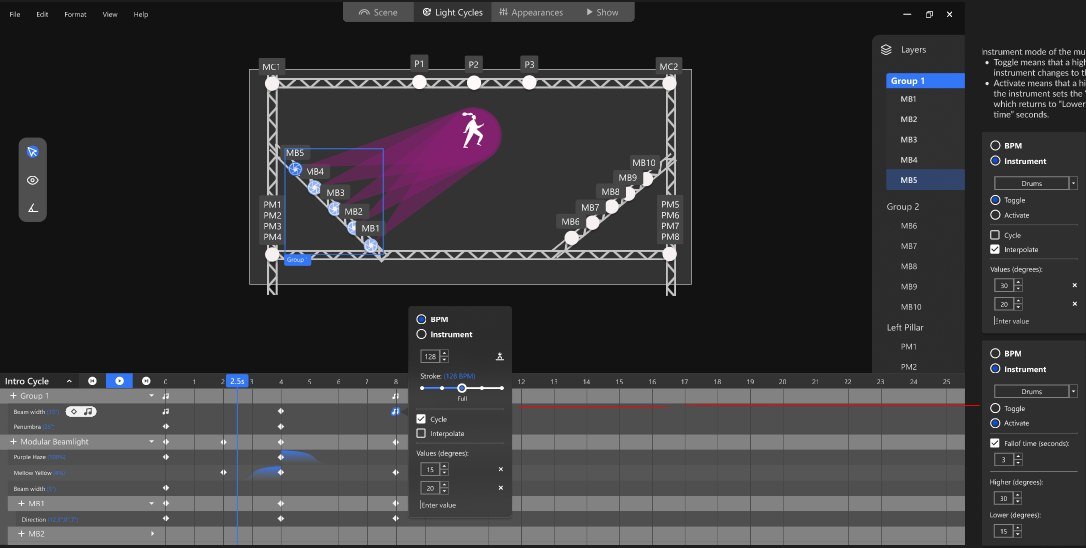
With the eye tool, selected lights turn to wherever you point on the stage, and a beam is set by dragging its edge. A music keyframe lets a value follow the beat or a single instrument, like the drums.

Rejected
Typing angles, widths and times into fields.
Why
Light is visual and a show follows the music; the controls should too. These two tools were the project’s main ideas for making work faster.
A music keyframe menu: follow the BPM or an instrument, with values for the beam.
A music keyframe, following the drums

Result

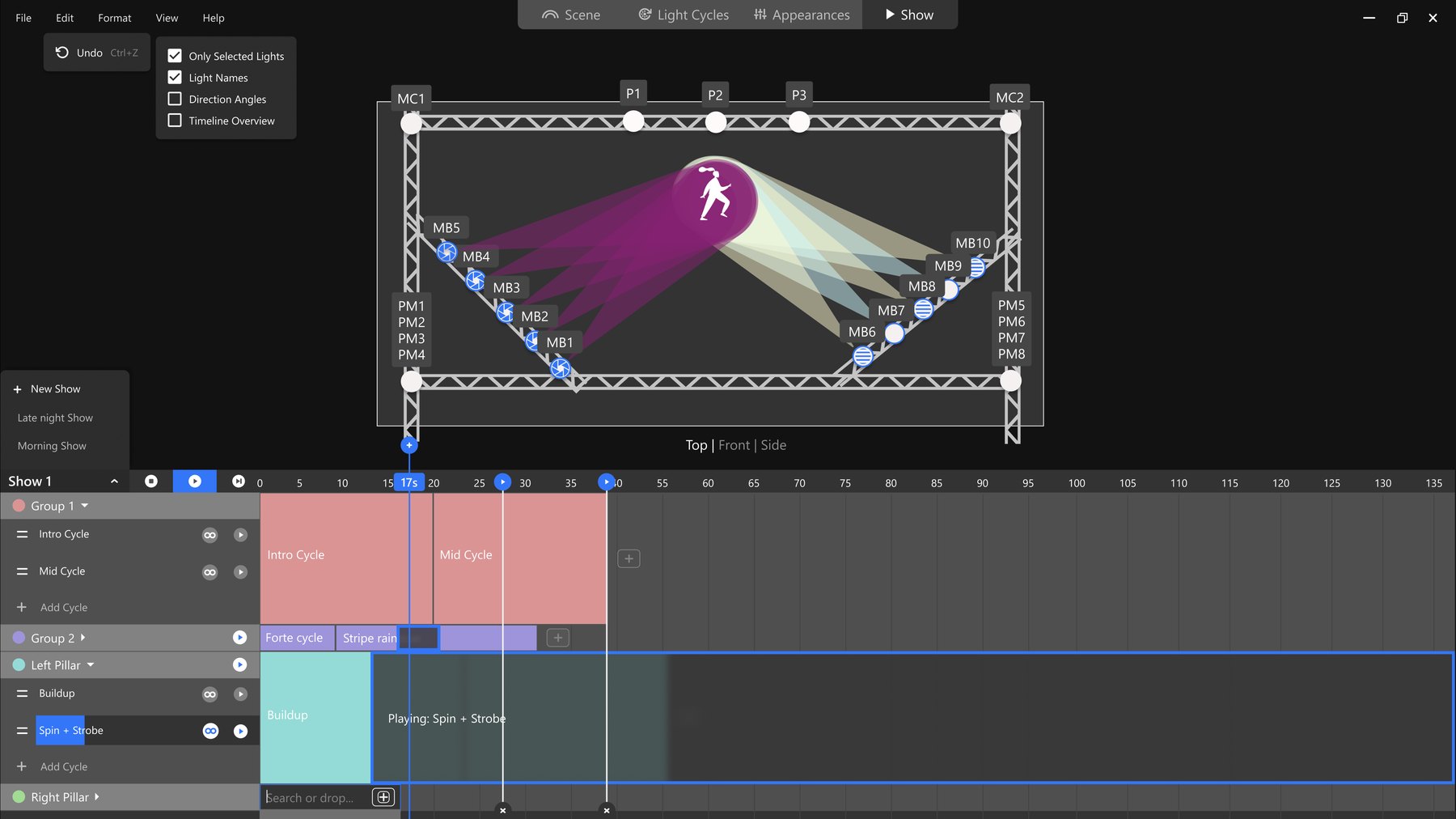
Build the show, then play it live.

The Show view: light cycles in coloured blocks along a timeline, one of them overridden live and looping.
A show during performance, one part taken over live

Outcome

A complete interactive prototype in Figma: scene, light cycles, appearances and show. During a performance, cycles can be skipped to or played directly, overriding the plan in real time.

What it lacked: research into how lighting designers really work, and lighting designers to test it with. That is where it would go next.

← Go back

Contact

Let’s talk →

A free first conversation, about 45 minutes. Or write to hello@attofoundry.se